Scoring, quizzes, calculations and piping are now native in Subo
You were running these manually. We made them easy to create and manage.
We’ve been seeing this for some time. Community managers would run a trivia or prediction contest using a Subo survey for the questions, then paste responses into a spreadsheet to calculate scores by hand. A game server would onboard members with a personality-style quiz, then manually assign roles by hand based on a scoring rubric nobody else could see.
The surveys were working. The data collection was clean, the conversational format and Discord integration drove completion rates that form tools couldn’t match, and members actually enjoyed participating. But the full experience was not real-time and everything that came after the survey was manual : the tallying, the scoring, the rewarding, the routing.
So we made it real-time, with no spreadsheet involved.
Answers that carry forward
The first gap was simpler than scoring but just as frustrating: every question stood alone. A member would tell you their favorite game in question 2, and question 5 would ask something related with no memory of what they’d said. The survey felt like a form pretending to be a conversation.
Answer piping closes that gap. Any block in a survey can now reference an earlier answer by name. Type [ in any text field of the Script Editor and the variable picker shows every earlier question in the script: select one, and it becomes a pill chip that resolves to the respondent’s actual answer at runtime.
“You said your favorite game is [favourite_game]: who do you like to play [favourite_game] with?” That’s a different conversation. The respondent feels heard because the survey remembered. Completion rates go up, answer quality goes up, and the data that comes back is richer because the questions were more specific.
Scores that run themselves
The core of this release is scoring: the ability to assign hidden point weights to answer options and accumulate them across a survey into named buckets, without the respondent ever seeing the arithmetic.
For knowledge quizzes, this could mean one bucket called “Score,” 10 points on the correct option per question, zero on all others. When the survey ends, [score] is the respondent’s total. No spreadsheet, no formula, no manual tallying. The score can appear in any closing message (type “[score]”), it’s a column in the Responses tab, and it exports directly to CSV. The user who was copy-pasting Discord replies into a Google Sheet every trivia night doesn’t have to do that anymore. The graded trivia quiz recipe walks through a ten-question build end to end, and the lore trivia template sets the same thing up in a few clicks.
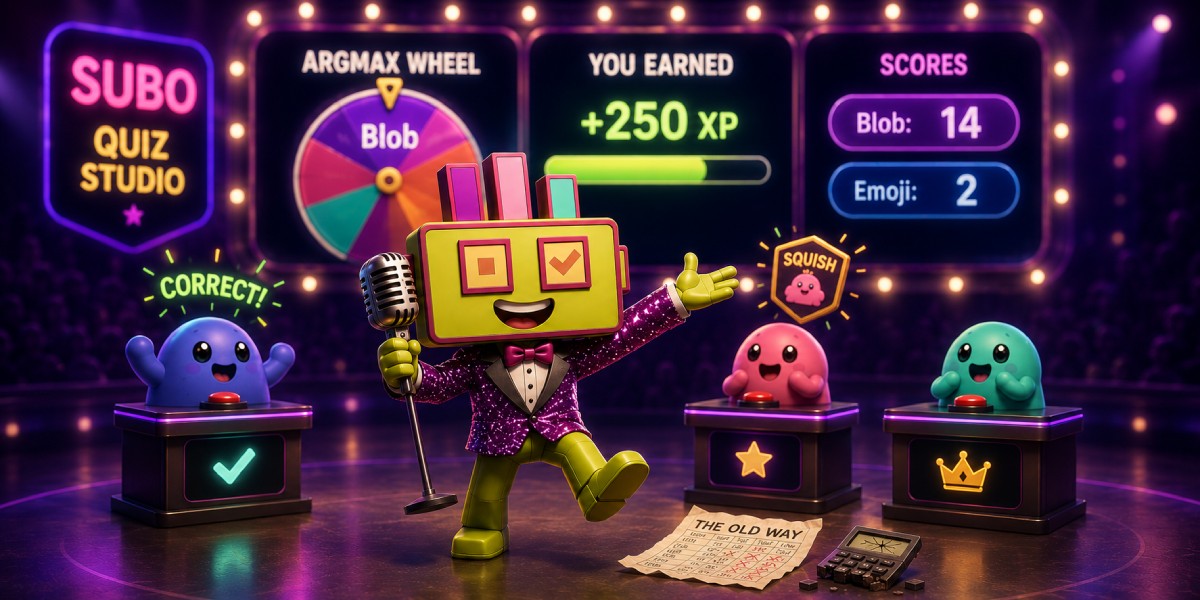
For personality and segmentation surveys, scoring works across multiple named buckets simultaneously. A member’s answer to “what do you share after a long gaming session?” adds 3 points to the “Competitor” score bucket and 1 point to the “Social”, or 3 points to “Creator” and 1 point to “Social”, depending on what they chose. Six questions of that structure produce a stable, differentiated signal, and argmax([score_competitor],[score_creator],[score_explorer],[score_social]) returns the winning dimension as a variable (e.g. “creator”) that the rest of the survey can branch on, and that you can tag your member with, using a give-achievement block.
This is how an onboarding survey segments new members into meaningful types, assigns them the matching role or badge, and routes them to a personalized welcome message, all in a single conversational flow.
Feedback in the moment
Mark one option as correct on any choice question and the bot sends a personalized feedback message immediately after the respondent answers, before the next question appears. Both “when correct” and “when incorrect” messages are fully editable and support the full variable set (including [answer], which names what the respondent actually chose).
This matters because timing matters. A correction that arrives after a ten-question quiz is historical; a correction that arrives immediately after the wrong answer is instructional. Communities running study quizzes for certification exams, language learning, or game-lore challenges now get per-question feedback as part of the survey itself.
The [correct_answers] and [max_correct_answers] variables are available mid-survey, so a closing block can say “You got [correct_answers] out of [max_correct_answers] right” without any calculation on the admin’s side.
You can also combine scores and correct answers with [score_correct] and [max_score_correct] to reward different point values depending on the answer option. This is a popular option in prediction contests where the odds of an event/winner determine the amount of points earned if the answer is correct.
Calculated fields: let the survey do the math
The new “Calculated field” blocks run an expression mid-survey and make the result available as a variable for everything that follows: messages, skip logic, further calculations, XP awards.
Two patterns cover most cases:
argmax takes a list of score variables and returns the name of the highest one. In a personality quiz, this is how the survey decides which category to sort you into. In a segmentation onboarding survey, this is how the survey knows which role to assign. The result is a string variable that skip logic can branch on. Say you create a personality quiz to sort members into one of the 4 Houses at Hogwarts: you will create 4 score buckets for each House, then in the end add a Calculated Field block with “argmax([score_gryffindor], [score_ravenclaw], [score_hufflepuff], [score_Slytherin])” returns the name of the bucket with the highest score. You can then display this value or use skip logic to display a page per House which only displays when relevant. That exact build, weights and all, is written up in the Sorting Hat quiz recipe.
Arithmetic and conditionals cover everything else. [score]/[max_score]*100 is a percentage. if [correct_answers] >= 9 then mastery else if [correct_answers] >= 7 then solid else review is a named band that a closing message can echo back personalized. Calculated fields feed into skip logic with the full set of comparison operators (>, >=, <, <=, =, !=), so you can gate an action block (a bonus XP award, a special achievement) on any derived threshold.
Rewards that reflect what actually happened
The last piece was XP. For communities using Subo’s XP system, the previous option was a flat completion reward: everyone who answers a question gets the same amount. That’s fine for engagement surveys. It makes no sense for a quiz where someone scored 2 out of 10 and someone else scored 10 out of 10.
Score-based XP solves this. A Give XP action block can now draw from a score bucket or calculated field instead of a fixed amount. XP = score. A respondent who aces the trivia night earns the maximum; someone who guessed through it earns proportionally less. The incentive reflects performance rather than participation.
Those are not mutually exclusive. You can define an action block based on performance in the quiz and combine with another one with the same amounts for all participants.
Prediction surveys are where this gets most interesting. The workflow that was previously: “post a survey, wait for the event, count who was right, manually hand them XP” or even “keep a tally of all scores in a spreadsheet” is now:
- Author a prediction survey where each option carries a score weight reflecting how bold that prediction is: the favorite is worth 10 points, the underdog 30, the long shot 60.
- After the event, open the Script Editor and mark the correct answer. Scores update immediately across all responses.
- Open the Responses tab, click Give XP → Dynamic → Score, confirm. XP is awarded to every correct predictor in one step, in amounts proportional to how bold their call was. Members who predicted incorrectly get nothing (zero-point awards are skipped automatically).
The spreadsheet is gone. The logic (who predicted what, who was right, how much they should earn) lives inside the survey. The prediction poll recipe has the full build, including how to pick the score weights.
What this means for research
The communities using Subo for structured research (onboarding surveys, attitude studies, knowledge assessments) now have a tool that produces scored, structured, exportable data without any post-processing step.
A multi-bucket onboarding survey that segments new members into behavioral types (using hidden scoring across 6 questions) gives a moderator a continuously updated record of their community’s composition. Export the Responses tab and join it to engagement data: do “Explorer” retain longer? Are “Creators” underrepresented relative to their content output? Those are real research questions that a scored onboarding survey can start to answer.
A pre/post assessment design (same questions, same weights, two projects, exported and joined on Discord handle) gives a clean measure of individual-level change across a program. Combine it with the segmentation export and you have a third axis: did “Explorers” improve their knowledge score more than “Socials”? That kind of analysis was impractical when scoring happened in a spreadsheet.
Available in the web app and Public API
You can turn on Scoring, set score buckets, define scores, correct answers and feedback messages, and add Calculated Field Blocks in the web app.
These features are also available programmatically in the Public API.
Once you’re rewarding members based on their scores, XP History lets each of them see exactly how and why every point was awarded, on the web and in Discord.
The Discord bot gives you limited functionality such as toggling scoring on/off and setting correct answers, but scoring and multi-bucket definition is not supported inside Discord. Use the web app or the API for maximum flexibility.
Questions? Drop them in our support server! →