AI-Powered Survey Summaries: How Subo Reads 1,000 Responses in Seconds
Open-ended questions are where you learn the most. “What would you change about our events?” “Why did you join this server?” “What do you want to see more of?” These questions get you real answers instead of just checkbox data.
The problem is what happens after. If you get 200 responses to an open-ended question, reading through them all takes hours. And if you get 1,000? Most community managers simply don’t do it. The data exists, but it never gets used.
Subo’s Text Analysis feature is designed to fix that.
How It Works
Text Analysis is a server-level setting. Turn it on once, and from then on Subo automatically summarizes the open-ended (free-text) responses in your reports, with no exporting. In the web app, each project and each open-text question can override that default.
- Turn it on in
/settings. Set the Text Analysis option toYes(and check you have AI credits available). That is your community’s default. A project can override it on its Details tab, and a single open-text question on the Script tab. Questions that ask for personal information, like an email or a full name, are off by default, and personal data found in answers is removed before anything is sent. - Run your survey as usual. Once it’s on, every summary report includes an AI summary of your open-text responses: the main themes, common requests, and notable outliers.
- Find the summary everywhere your results appear: in summary reports you request manually, in reports auto-posted to a channel via
Auto-Post Results, and in theSummarytab of the exported Excel Full Report. It’s also available in the results dashboard of the Subo web app.
You can generate a report at any time, even while the survey is still running. If more responses come in after you first summarize, hit Refresh Text Analysis to regenerate with the latest data.
What Makes This Different from Just Exporting to your favorite LLM
You could also export your responses to a CSV and paste them into a general AI tool like ChatGPT, Claude, Gemini, etc (in fact, feel free to do so if you prefer!).
Subo’s Text Analysis is different in a few ways:
It’s contextual. Subo knows what the question was, what survey it came from, and what your overall survey structure looks like. The summary is framed around your specific question, not just raw text.
It’s integrated. You don’t need to export, copy, paste, format, or do anything extra. The summary is generated inside your results, automatically.
It’s reliable for large datasets. Copy-pasting hundreds or thousands of responses into a general AI tool has practical limits. Subo handles this through its backend integration, so the data flows directly without you managing size limits.
It’s transparent about data handling. Text Analysis uses AI models from OpenAI, Anthropic and Google, which we reach through OpenRouter, under business terms in which the providers do not use the data we send to train their models. Respondents are sent as codes like R-7K3QXA, never by name, and emails, phone numbers and similar data are removed from answers first. The What gets sent to the AI? link on the Results tab shows you exactly what goes out. What each provider keeps, and for how long, is in Subo’s Privacy Policy.
When to Use AI Summaries
After community feedback surveys
You ran a post-event survey with the question “What could we have done better?” You got 340 responses. Instead of reading every one, Subo gives you: “The most common themes were: (1) event timing, many members wanted earlier start times; (2) audio quality in voice channels; (3) requests for a post-event recording.” You now know exactly what to act on.
During onboarding surveys
“Why did you join this server?” from 500 new members tells you what’s driving discovery, but only if you read the responses. AI summary: “Members most commonly mentioned referrals from friends (in ~40% of responses), YouTube content, and Reddit threads. Several mentioned joining after seeing a specific video.” That’s your marketing data, instantly readable.
For product or feature feedback
“What feature do you most want Subo to add?” asked to your premium subscribers. The summary gives you a ranked list of requested features without manually categorizing 200 text responses.
For qualitative pulse checks
Regular pulse surveys with one open-ended question (“How’s the vibe in the server lately?”) can quickly tell you when something’s off. Summarizing over time helps you track qualitative shifts, not just quantitative averages.
AI Credits
Text Analysis and the /draft command both run on Subo’s AI credits. All new accounts in the Free plan come with enough credits to run analysis for a few surveys. If your server is big, you may need to upgrade to a paid plan to get more credits. Paid plans include a monthly allowance of AI credits that resets each billing period, with higher tiers getting a larger allowance. The credit cost scales with how much text is being analyzed, and the allowances are sized so most servers won’t come close to running out. See pricing for the current allowance on each plan.
The AI Survey Generator: How /draft Writes Your Questions
While we’re on the topic of AI, Subo’s survey generator is the other side of the same coin. It runs on the same AI credits, but instead of summarizing responses it writes the questions.
Tell Subo what you’re trying to find out, for example “I want to understand what keeps my members engaged and what’s causing them to leave,” and it first shows you a plan: an outline, up to three questions it needs answered, and the language it will write in. Then it drafts a complete project with whichever block types the goal needs, from single choice and open text to ratings, opinion scales, NPS and rankings, plus skip logic and scoring for quizzes and prediction contests. Set a number of questions, up to your plan’s per-project limit, or let it choose. It writes in any language, and you pick a Quick or a Deep draft, each with its credit estimate shown first. How we rebuilt it is in Subo now checks your questions before your community sees them.
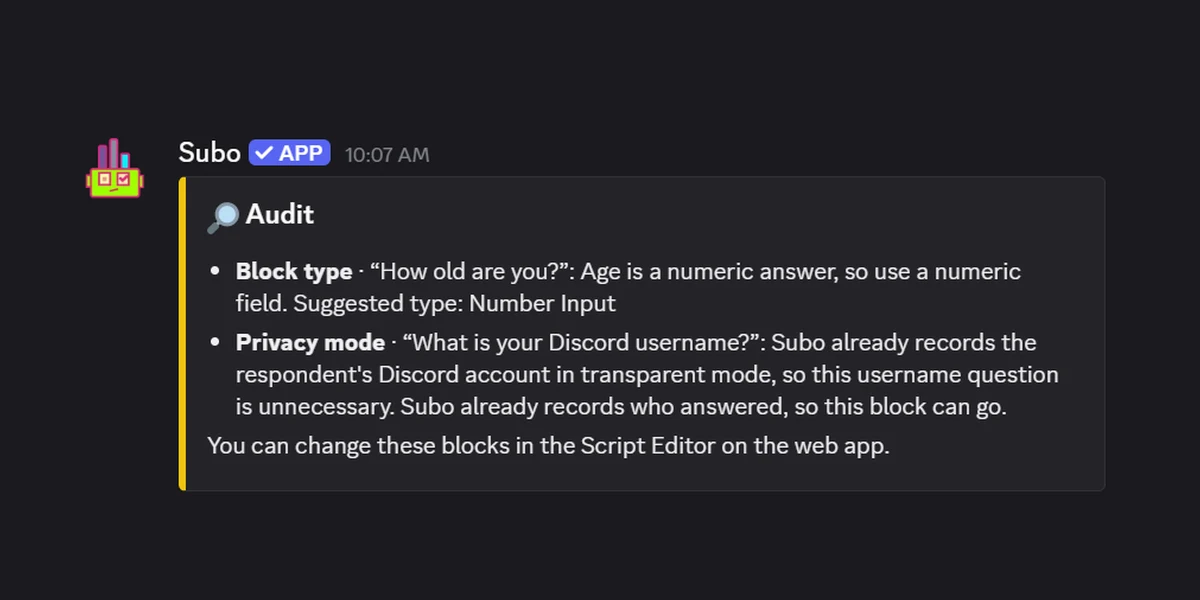
Nothing is published yet at that point. The draft opens on the Script tab with a Check before publishing panel listing what Subo wants you to verify, and you rewrite prompts, cut the questions that missed, add the one the AI didn’t think of, and set privacy and rewards before a single member sees it. That’s the part that makes it useful: the blank page is gone, and you still have the final say on every question.
Three places to run it:
- In Discord, type
/draftand describe your objective. - In the web app, start a new project and pick Let Subo draft it instead of starting from scratch.
- Through the API, pass an
intentfield when creating a project and the response comes back with the generated script. One call, working survey. Useful if you want an agent to run your community research.
It earns its place when you’re drawing a blank on how to structure a survey, or when you want every angle on a topic covered without spending half an hour writing questions. See the survey how-to for where it fits in the build flow.
Limitations to Know About
AI summarization is powerful but not perfect. A few things to be aware of:
It’s not a replacement for reading key responses. The summary catches themes, but context, nuance, and specific standout responses sometimes get flattened. For important decisions, supplement the summary with a spot-check of individual responses.
It works best with substantial response sets. Summarizing 10 text responses isn’t meaningfully different from reading them yourself. The value really kicks in at 50 or more responses.
Sentiment is approximate. The summary gives you a good-enough read on whether responses skew positive, negative, or mixed, but it’s not a scientific sentiment-analysis tool.
Non-English responses. The AI handles mixed-language inputs reasonably well, but accuracy can dip with heavy use of uncommon languages or community-specific slang.
Getting Started
Text Analysis is available on all plans. Turn it on in /settings, run a survey with at least one open-text question, and your next report will include the summary. Need to regenerate after more responses arrive? Use Refresh Text Analysis.
It earns its keep on surveys that ask a real open question. The suggestion box and the community health survey are both built that way, and the pre and post assessment recipe pairs open answers with scores you can compare across two waves.
Add Subo to your Discord server →
Frequently asked questions
Can AI write a survey for my Discord server?
Yes. Subo generates a complete survey from a plain-English description of what you want to learn. Type /draft in Discord, pick Let Subo draft it when you start a new project in the web app, or pass an intent field to the API.
Do I have to keep the questions the AI writes?
No. The generated survey opens in the editor before anything is published. Rewrite prompts, reorder or delete questions, add the one the AI missed, and set the privacy mode and rewards. Members only ever see the version you approve.
How many questions does the AI survey generator write?
As many as the goal needs, unless you set a number, up to your plan's per-project question limit. Drafts use every block type, from single choice and open text to ratings, opinion scales, NPS and rankings, plus skip logic and scoring for quizzes and prediction contests.
Can it write the questions in another language?
Yes, in any language, not only the ones Subo's interface is translated into. Ask for it in your request ("a poll in Tagalog") or pick it on the plan. If you say nothing, Subo uses your server's language.
What does AI question generation cost?
It draws on the same AI credits as Text Analysis. The Free plan includes a one-off trial allowance and every paid plan includes a monthly one that resets each billing period. See pricing for the allowance on each plan.