Content Blocks: A New Way to Design Survey Flows
Every survey is a conversation. Until content blocks, Subo’s conversations could only move forward when someone answered a question.
That is not always what you want. Sometimes you need to say something first: set the scene, give instructions, warn people about what is coming. Sometimes you want to break up a long stretch of questions. And sometimes, at the end of a quiz, you want to tell someone how they did before you let them go.
That is what content blocks are for.
What is a content block?
A content block is a block type in the Script Editor. Like a question block, it appears in the conversation one at a time. Unlike a question block, it does not ask anything.
It is a message. The respondent reads it and moves on, in one of two ways:
- Auto-advance. The conversation continues on its own after a typing delay (2 seconds by default, adjustable from 1 to 10).
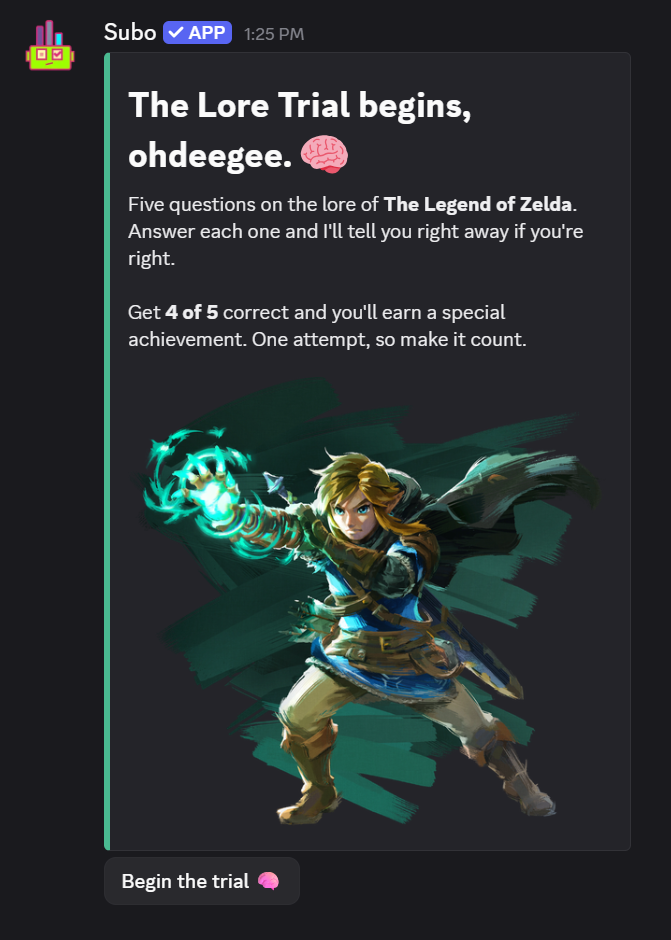
- Require acknowledgement. A button appears and the respondent has to click it. The default label is “Continue”; the hero image at the top of this post shows one relabeled “Begin the trial 🧠”.
Content blocks work in Convos, on Discord and on the web, and in polls. The block itself is on every plan. Two things need Premium or above: the button label and the typing delay.
You can attach an image or a GIF (surveys only, not polls), and on Discord you can set the embed’s border color, which is how the hero block gets its teal stripe.
The welcome screen you already have
Open the Script Editor and look at the Blocks panel. Above your first question there is an INTRO section, shown to every respondent before the survey begins. If your community has the Default Survey Intro setting on, new surveys are seeded with a welcome block there:
“Hi [UserName]! 👋 I’m [InterviewerName], here to help [CreatedBy] with this. Ready to start?”
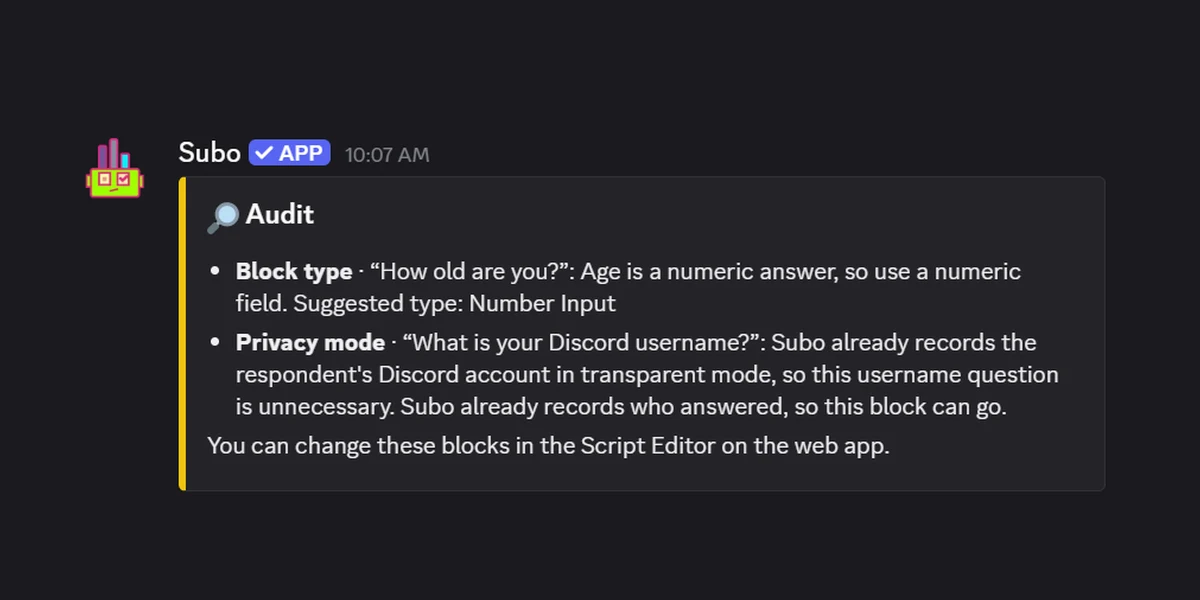
Most people rewrite it. Some delete it. Deleting it is safe, because the section does not disappear, it collapses to a button:
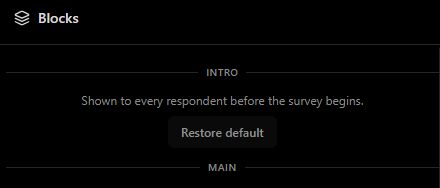
Click Restore default and the standard welcome comes back. If you would rather your surveys never start with one, turn off Default Survey Intro in Settings and new surveys skip it.
Worth writing a real one, though. A welcome block sets expectations before the first question, and respondents who know how long a survey is and what happens to their answers finish it more often than respondents who are guessing.
Variables: the same block, different for everyone
This is the part that changes what a content block is for. The text field is not static. Type [ anywhere in it and the variable picker opens, sorted into categories:
| Category | Examples | What you get |
|---|---|---|
| Respondent | [UserName], [InterviewerName], [CreatedBy] | Who is answering, who is asking, who set it up |
| Answers | one token per answerable block, named after the block | Anything they already told you, piped back |
| Scores | [score], [max_score], [score_<bucket>], [correct_answers] | Quiz and grading results |
| Calculated Fields | one token per calculated block | Values you computed from earlier answers |
| Survey | [SurveyName], [CompleteCount] | The survey itself |
| Community | [ServerName], [BotName], [SurveyRoles] | Where they are |
| XP & Currency | [xp_name], [xp_points], [earned_xp], [xp_to_next_level] | What they earned and what is next |
| Rewards | [achievement_name], [role_name] | What they just unlocked |
Two other keys open pickers in the same field: @ inserts a role mention, : inserts an emoji, including your community’s custom ones.
Answer piping is the one people underuse. A respondent who tells you in question 2 that their favorite mode is ranked play should see “ranked play” in question 7, not “your preferred mode.” It costs one token and it is the difference between a form and a conversation.
Score reveals
Scores are where variables and content blocks earn their keep together. Set up score buckets and every one of them becomes a token you can drop into a message at the end of the quiz.
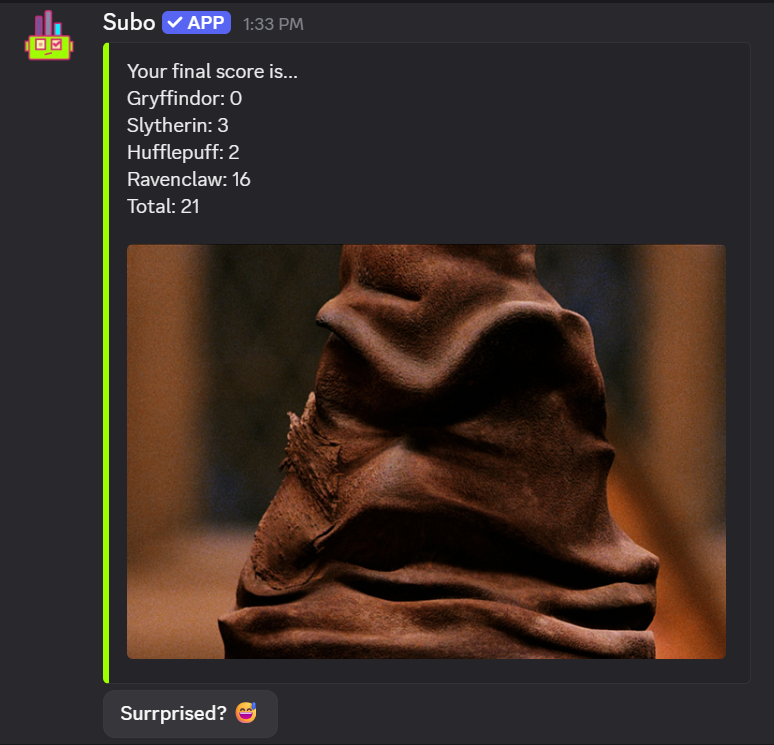
That block is four [score_<bucket>] tokens, a [score] for the total, an image and a relabeled button. The bucket token is the bucket name lowercased with spaces turned into underscores, so a bucket called “Ravenclaw” gives you [score_ravenclaw]. For a pass/fail quiz rather than a sorting quiz, [correct_answers] and [max_correct_answers] give you the “you got 4 of 5” line.
Nine things to do with them
Some of these are obvious. A few are not.
1. The welcome screen. Covered above. Say what the survey is, how long it takes, and what happens to the answers.
2. The consent gate. For surveys that touch mental health, money or interpersonal conflict, a content block set to require acknowledgement is a lightweight consent mechanism. Relabel the button “I agree.”
“Some of the questions ahead deal with personal experiences that may be sensitive. Your answers are anonymous, and you can skip any question you would rather not answer.”
You are building trust, and it shows up in the quality of the answers to the hard questions.
3. The section divider. Long surveys drag when they read as one undifferentiated stream. A content block between sections is a chapter break: it signals the topic changed and makes the whole thing feel shorter than it is.
“That covers onboarding. Now let’s talk about day to day.”
Pair it with skip logic and the divider gets context-aware. Respondents who skipped the onboarding section never see it.
4. The pacing break. By question seven of a survey about team conflict, people are tired. Drop in a GIF and a sentence that sounds like it came from a human.
“You’re doing great, [UserName]. Four more.”
5. Instructions for a hard question. Framing that would get buried in a question’s description field gets read when it has a block to itself.
“For the next two questions, imagine you’re evaluating a new moderator candidate. Don’t think about the current team, just the traits you’d want in someone new.”
6. The conditional acknowledgment. Someone rates their experience 1 out of 5. Barreling into the next question as though nothing happened is the wrong move. Wire a content block into skip logic so only the low scorers see it:
“Sorry to hear it hasn’t been great. The next few questions will help us understand what happened.”
The 4s and 5s skip past it into a different path. The conversation reacts to what they actually said, which is what a conversation does.
7. The eligibility confirmation. They passed your screening question. Tell them why that matters.
“You’ve been here more than six months, so your read on what’s changed is exactly what we’re after.”
This reduces satisficing, the habit of clicking through a survey without thinking. You have just reminded someone their specific input is the point.
8. The role-play setup. Brand perception, new feature reactions, moderation policy reviews: all of these get better answers when respondents are put in a frame of mind first.
“For this section, think like someone who found this community five minutes ago. What would confuse them?”
9. The debrief. Just before the closing message, say what happens next.
“Results go up in #announcements within a week. If you want to talk about any of it, #feedback-chat is open.”
Closing the loop is the cheapest thing you can do for your next survey’s response rate. People who saw their feedback go somewhere come back.
Building one
Content blocks sit in the same drag and drop canvas as question blocks in the Script Editor. Add one, write the message, pick auto-advance or acknowledgement, and drop it where it belongs in the flow.
Skip logic treats it like any other block, so you can gate who sees it on anything answered earlier. And because it takes variables, the same block can greet a hundred people by name, hand each of them their own score, and quote something they said four questions ago.
Ready to build one? Start from a template, read the survey design recipes, or see how skip logic decides who sees what.
Frequently asked questions
What is a content block in Subo?
A content block is a block type that shows a message without asking a question. It appears in the conversation like any other block, then either advances on its own after a short pause or waits for the respondent to click a button. Use it for welcome screens, instructions, consent gates, section breaks and score reveals.
Do content blocks work in Discord polls as well as surveys?
Yes. Content blocks are one of the block types polls allow, alongside single-select, multi-select and action blocks. The image field is the one part that is survey-only.
Can I use variables in a content block?
Yes. Type [ anywhere in the text to open the variable picker. You can pipe in the respondent's name, answers they already gave, scores, calculated fields, XP totals and community details. Type @ for a role mention and : for an emoji.
Are content blocks free?
The block itself is available on every plan. Two customizations need Premium or above: the button label when you require acknowledgement, and the typing delay when the block auto-advances.
How do I get the welcome screen back after deleting it?
The Blocks panel in the Script Editor shows an INTRO section. Delete the welcome block and that section collapses to a Restore default button, which puts the standard welcome message back. Whether new surveys start with one at all is a server setting, Default Survey Intro, under Settings.