Discord Native Polls vs Subo: What the Built-in Feature Can't Do (2026)
For years Discord was the odd one out. Reddit, Telegram, WhatsApp, X, Guilded, Facebook Groups: they all had polls built into the main UI, while Discord left you choosing between hacky reaction polls or a third-party bot. That changed in April 2024, when Discord finally shipped native polls. Two years on they’re a standard part of the client, and they’ve made the old reaction-poll bots redundant.
So the question isn’t “which poll bot should I install?” anymore. It’s “when is the built-in feature enough, and when do I still want a bot like Subo?” This post answers exactly that, head to head.
If you want the wider field (Simple Poll, MEE6, EasyPoll, and where each one stops), read the best Discord poll bots comparison. This page stays focused on native polls versus Subo.
Discord’s native polls
Native polls are built right into Discord’s interface, and setup is about as fast as it gets.
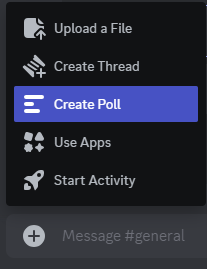
You start a poll straight from the message bar with the + button, no slash command and nothing to install.
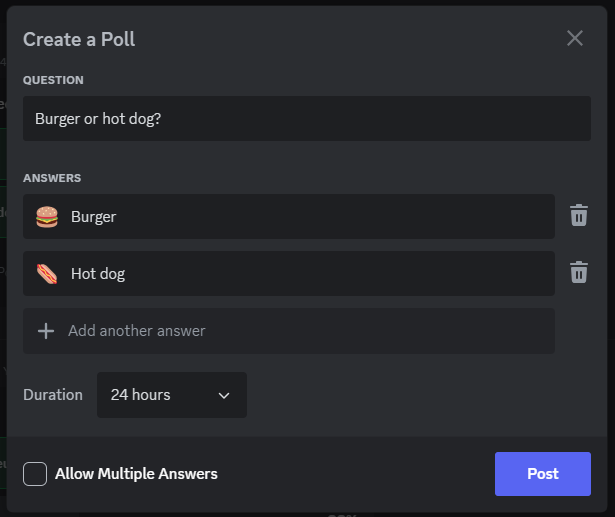
Enter a question, a few answers, optional emojis, and press Post.
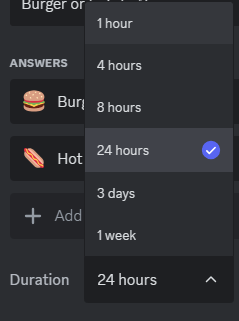
Polls run for 24 hours by default, with duration options from 1 hour to 1 week.
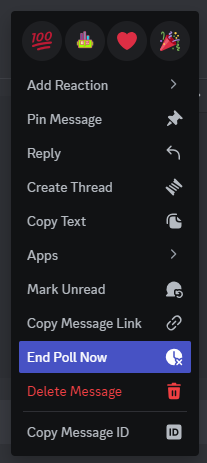
You can also end a poll early from the ... menu on the poll message.
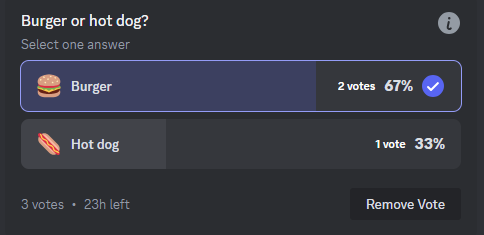
Once posted, any member with access to the channel votes by selecting their answer and hitting Vote.
What native polls do well
The whole appeal is that there’s nothing to add and nothing to learn. Controls are built in, the results animate in Discord’s own UI, and for a quick “what time works for the raid?” it’s the right tool.
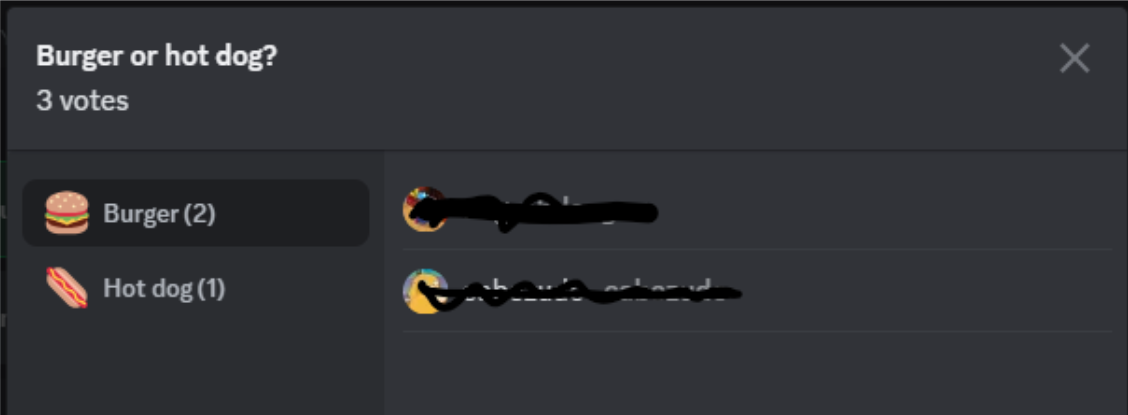
Clicking the vote count shows who voted for what, which is either a feature or a problem depending on what you’re asking.
Where native polls stop
The limits show up the moment you want more than a show of hands:
- Maximum 10 answer options, 55 characters each.
- Single-choice or multi-choice, but no way to cap the number of answers (no “pick your top 3”).
- No anonymous voting. Anyone can click through and see exactly who chose what.
- No participation rewards and no results export.
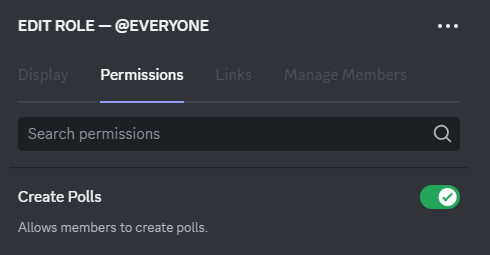
- By default, any member who can send messages can start a poll. Discord later added a role permission so owners can limit that to certain roles, which fixed the early “anyone can spam polls” complaint.
There’s also a whole layer that simply isn’t there: everything around the poll before and after the vote.
- No reuse. Every poll is built from scratch. There’s no cloning or duplication, so a weekly vote means retyping the same question and options every week.
- No reopening. Once a poll closes, it’s closed. You can’t extend it or bring it back.
- No history or management. Polls live in the channel and scroll away. There’s no dashboard to find an old one, compare results over time, or organize anything.
- No help creating one. It’s a blank box every time. No templates to start from and no way to generate ideas when you’re not sure what to ask.
None of this makes native polls bad. It makes them a quick-vote feature, not a polling tool you run a community on. That’s the line where a dedicated bot earns its place.
What Subo adds
Subo is a free Discord app launched in 2022, built by people who came from the survey industry, and it does surveys and polls and nothing else. That focus is the difference: a native poll is a single closed question with a public tally, and Subo is built around everything you might want to do beyond that.
Poll controls native polls don’t have
- Restrict who can create polls by role, not just who can vote.
- Up to 24 answer options instead of 10, with effectively no character limit in emoji-only mode (people vote on an emoji that stands in for a full-length answer).
- Cap the number of answers for a top-3 style vote.
- Edit a live poll: fix the wording, add or remove options, or change where it posts without deleting it.
- Granular timing: days, hours, and minutes, or no time limit at all (close it when you want).
- Control result visibility: show the running tally publicly, only to people who’ve voted, or keep it hidden until you reveal it at the end.
- Vote-change toggle: let people change their vote or lock it in.
- Presentation: add an image, thumbnail, or custom embed color.
- Schedule a poll to post later at a set time.
Three privacy modes, anonymous by default
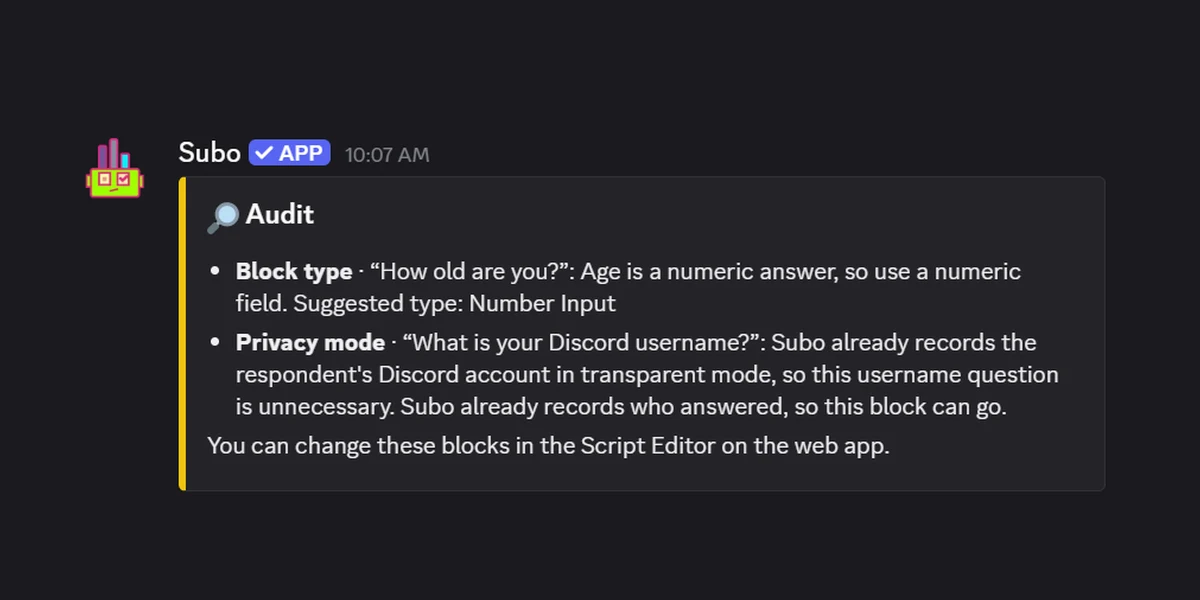
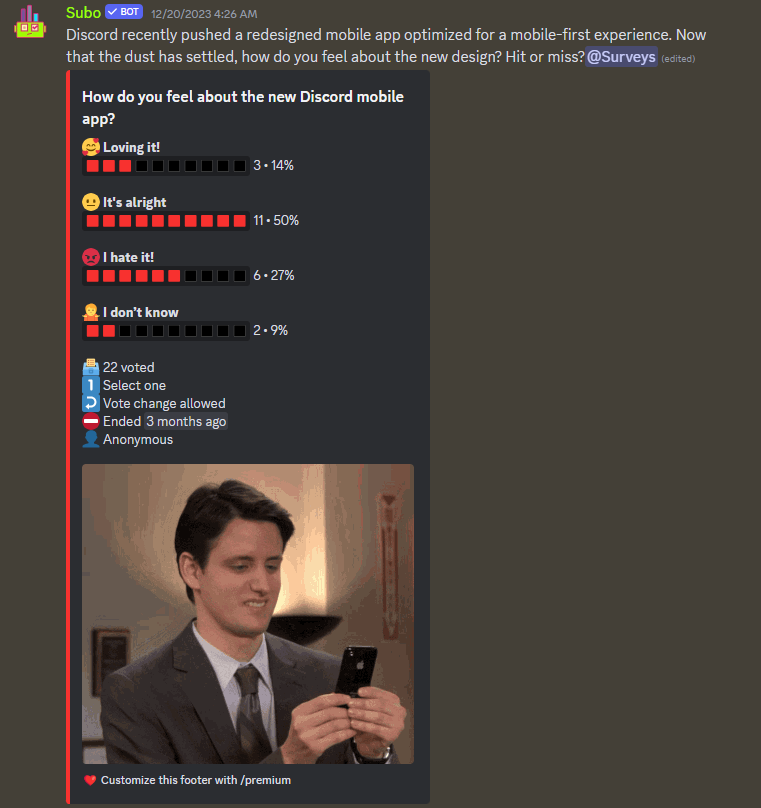
Instead of the single public tally native polls give you, Subo has three modes: Transparent (everyone sees who voted), Semi-Private (only you, the creator, can), and Anonymous (no one can, not even you). New servers default to Anonymous, so honest feedback is the starting point rather than something you have to remember to switch on. We cover how each mode works, and when to use which, in the anonymous surveys guide.
Built to be reused and managed
This is the layer native polls don’t have at all, and it’s what matters most if you poll regularly.
- Clone any poll. Run the same weekly or monthly vote without rebuilding it. Duplicate a past poll, tweak what changed, and post it again in seconds. You can even clone across servers.
- Reopen a closed poll. Extend it, or reactivate an old one to gather more responses instead of starting over.
- A web app that keeps your work. Every poll, survey, and quiz you’ve run lives in the Subo web app, not just in a channel that scrolls away. Search your past projects, compare results over time, and reactivate, clone, or edit any of them.
- Help creating one. Start from a ready-made template, or let Subo’s AI draft a poll for you when you have a topic but not the questions. Native polls give you a blank box; Subo gives you a starting point.
Polls that do something after the vote
This is where Subo separates from every pure poll option:
- Rewards for voting. Grant XP and roles for taking part, with a leaderboard to keep engagement going.
- Conditional rewards with action blocks. Grant a role based on how someone answered, so the poll drives a real outcome on its own.
- Scoring and correct answers. Mark options right or wrong and a poll becomes a scored quiz or a prediction contest.
It grows into surveys, forms, and quizzes
A poll gives people a fixed set of options, and sometimes that’s the wrong shape for the question. Even a single open-ended question (“what should we build next?”) pulls answers a poll never could, and often that one text box is all you need.
The same bot handles that and everything past it. What we call a survey covers a lot: a multi-question form, a scored quiz, an application or sign-up, a feedback form, basically anything you’d otherwise build in Google Forms or Typeform. You get open and closed questions, skip logic, private responses (in a DM from the bot, falling back to a private thread or to the web with no account needed for the link), AI summaries of open-text answers, and results posted back to the server or exported. The use cases run well past market research: take applications for a role, run an event sign-up, quiz your community, collect feedback after a launch. You start with a poll and grow into any of it without switching tools.
Feature comparison
| Feature | Discord native polls | Subo |
|---|---|---|
| Max answer options | 10 | 24 (no char limit in emoji mode) |
| Character limit per option | 55 | Effectively none (emoji mode) |
| Anonymous voting | No | Yes (3 privacy modes) |
| Cap the number of answers (top-N) | No | Yes |
| Edit a live poll | No | Yes |
| Poll duration | 1 hour to 1 week | Any length, or none |
| Schedule a poll for later | No | Yes |
| Restrict who can create polls | By role | By role |
| Results export | No | Yes |
| Clone / reuse a poll | No | Yes (across servers too) |
| Reopen a closed poll | No | Yes |
| Poll history & management | No | Yes (web app) |
| Templates & AI draft to create polls | No | Yes |
| XP / role rewards for voting | No | Yes |
| Grant a role based on the answer | No | Yes (action blocks) |
| Scoring / correct answers (quiz) | No | Yes |
| Surveys, forms & quizzes (skip logic, open questions) | No | Yes |
| AI summaries of open-text answers | No | Yes |
| Price | Free | Free tier + paid plans |
Which one you should use
Use native polls for quick, public, low-stakes votes: a “which map next?” where nobody minds their name being attached. Zero friction, nothing to install, and good enough for most everyday questions.
Add Subo when the poll needs to do more than count hands: real anonymity so people answer honestly, a cap on selections, scoring for a quiz or prediction contest, XP or roles as a reward, a role granted from the answer itself, or the room to run a full survey once in a while.
There’s a simpler way to draw the line, too. If you poll often, run an active community, or just value your time, the reuse and management gap is the deciding factor on its own. Retyping the same poll every week, losing past results to the scroll, and having nowhere to organize any of it adds up fast. That’s the case for a tool built around polls, with cloning, a project history, templates, and AI drafting, rather than a feature bolted into the chat box. Casual server, casual votes: native polls. Power user or busy community: Subo.
The two aren’t really competitors. Native polls handle the throwaway questions, and Subo handles the ones where the result matters. Plenty of servers run both.
The reuse gap is easiest to see from the other side: the template library is polls you clone instead of retype, and the prediction poll recipe shows what a poll looks like once scoring and XP are wired into it.
Add Subo to your Discord server for free →, see everything it does on the polls page, learn how to create a Discord poll step by step, or compare plans.
Frequently asked questions
Do Discord polls show who voted?
Yes. On a native Discord poll, clicking the vote count reveals who chose each option. That is useful for a casual team vote and a problem for anything sensitive, and there is no way to hide it.
What is the maximum number of options in a Discord poll?
Native Discord polls cap out at 10 answer options, with a 55 character limit on each one. Subo allows up to 24 options, and effectively no character limit in emoji mode.
How long can a Discord poll run?
Native polls run for 24 hours by default and can be set from 1 hour to 1 week. Subo polls can run for any length, set in days, hours and minutes, or with no time limit at all so you close them when you want.
Can you make Discord's native polls anonymous?
No. Anonymous voting is not something Discord's built-in polls support, so every vote is attributable. If you need people to answer honestly about moderation, leadership or anything personal, you need a poll bot with real privacy modes.
Do I still need a poll bot now that Discord has native polls?
For a quick vote in a channel, no. Native polls made the old reaction-poll bots redundant. You still want a bot when the poll has to do more than count hands: anonymous voting, a cap on selections, scoring for a quiz or prediction contest, XP or role rewards, or a full multi-question survey.