Subo Just Got a Web App, and Here's Why It Took This Long
We built Subo to live where communities live: inside Discord.
That was the whole point. Your members don’t have to leave. You don’t have to post or email a link. The survey shows up in the channel, they hit a button, they answer right there. Done.
For a long time, that was enough.
Where It Started
The first version of Subo was a pure Discord bot. You created surveys through slash commands. You deployed them by typing in a channel. You reviewed results via bot-generated embeds that updated in place.
It was scrappy, but it worked. Community managers started running weekly polls, post-event check-ins, regular partiipation surveys. Power users built whole feedback loops around it: collect responses, award XP to participants, grant roles based on answers. The Discord-native experience made adoption zero-friction.
The Walls Start Showing
But Discord wasn’t designed to be a survey builder.
Creating a survey with multiple questions, skip logic through slash commands and chat components worked, technically. But every survey was a small battle. You’d submit a change, check the preview bot embed, go back and edit, resubmit. Adding a new question, reordering questions, changing button labels, none of that was easy.
The more powerful a survey was, the more painful it was to create.
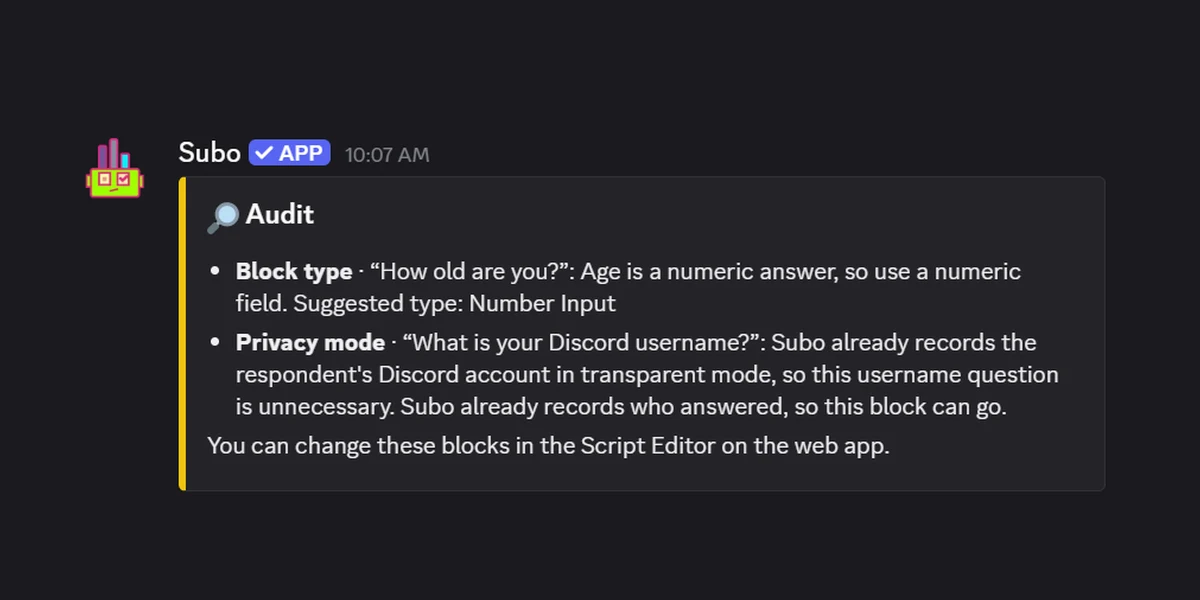
Reviewing results had the same ceiling. You’d run /results and get a Discord embed. Great for a quick glance, but not something you could actually analyze. There was no way to filter by date, drill into individual responses, sort your open-text answers or see who answered what without exporting the data.
And then we also had to deal with limitations of the Discord API and UI for question types, answer length, rate limits.
We kept shipping improvements to the bot, but we knew the real bottleneck wasn’t the bot. It was Discord itself.
Building the Next Layer
We didn’t want to abandon the Discord-native model. We still believe that a native chat interface is the right UX for most respondent experiences, conversational surveys meet people where they are, in the community they’re already engaged with.
But the creator experience needed a proper home.
So we built one.
The Subo Web App is the admin layer Subo always needed: a full dashboard for building, launching, and analyzing surveys, while keeping Discord as the delivery channel. The bot didn’t go anywhere. It got a much better partner.
What Changed
The Script Editor
This is the one we’re most proud of.
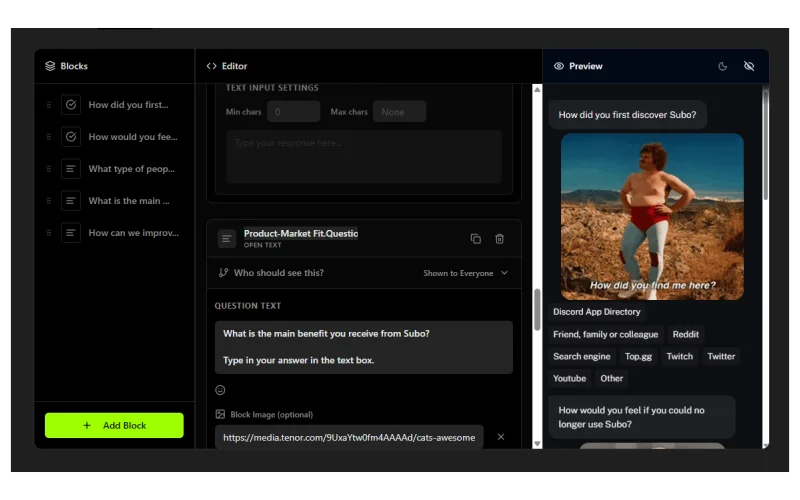
Now there’s a proper visual editor: a canvas where you drag in question blocks, configure each one, and see exactly how it’ll look before anyone sees it. Multiple choice, open-ended text, numeric scales, all configurable in one place.
You can set skip logic. Add image attachments. Limit the number of selections on multi-punch questions. Everything that used to require knowing the right slash command syntax is now a click.
Every text field in the editor also takes three shortcut keys: @ for a role mention, [ for a variable like the respondent’s own name, : for an emoji. Here’s what each one does.
Real-Time Results
Results used to be a snapshot. Now they’re live.
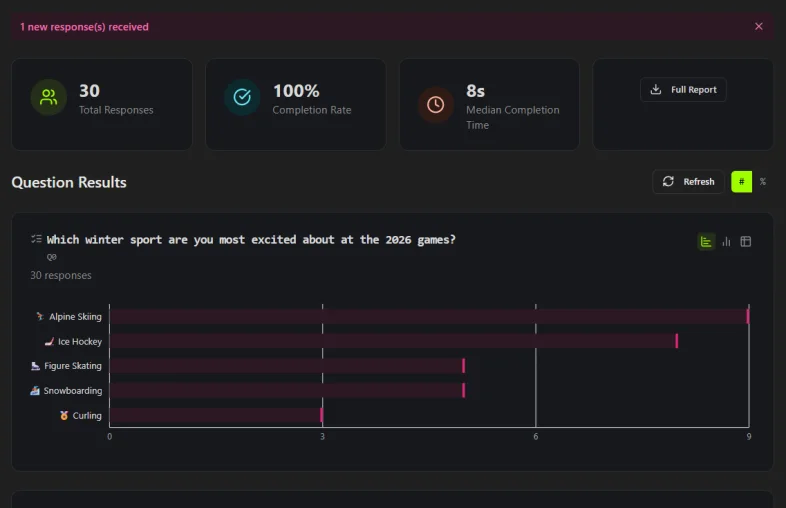
The Results tab shows every response visualized as it comes in: horizontal bar charts, vertical breakdowns, response counts. You can flip between chart types. You see completion rates and median completion time at the top. For open-ended text questions, you can trigger an AI summary that synthesizes what respondents actually said, so you don’t have to read 200 text answers line by line.
Individual Responses
The Responses tab is something that didn’t exist in the bot at all.
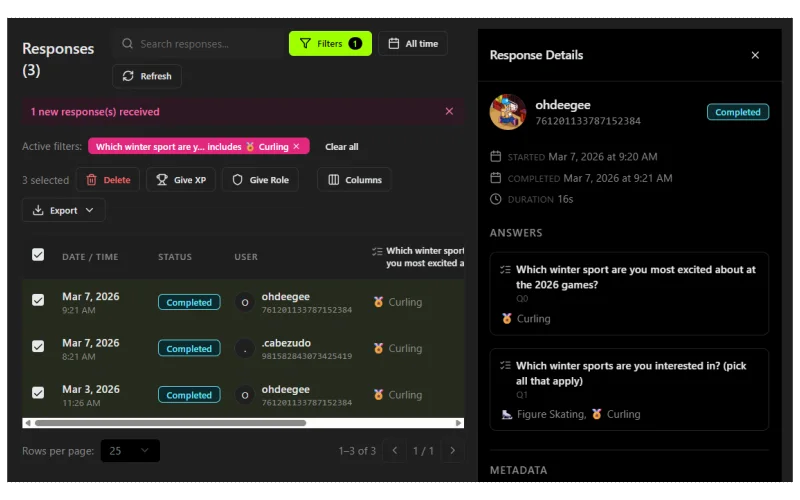
You can see every individual response in a filterable, sortable table: filter by date range, filter by specific answer values, resize columns. Click any row to open a sidebar with that respondent’s Discord profile: their avatar, roles, when they joined, their XP, and timing data showing when they started, when they finished, and how long they took.
From there you can take action directly: award XP to a batch of respondents, grant a role to everyone who answered a specific way, or delete responses for data management. Things that used to take five bot commands and a lot of copy-pasting now take seconds.
AI Survey Generation
Starting from scratch on a survey is hard.
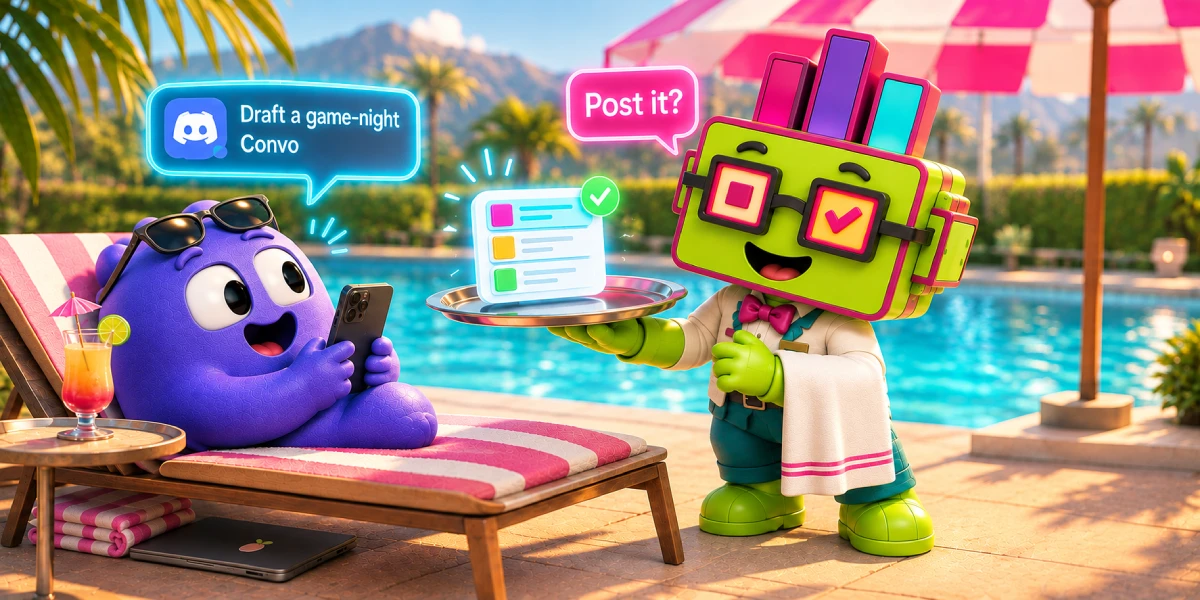
Describe your topic (“post-event feedback for our weekly game night”, or “member sentiment check on our moderation policies”) and Subo’s AI generates a complete survey: questions, answer options, question types, question count. You review it, adjust anything you want in the Script Editor, and deploy. The whole thing takes two minutes.

Share / Invite
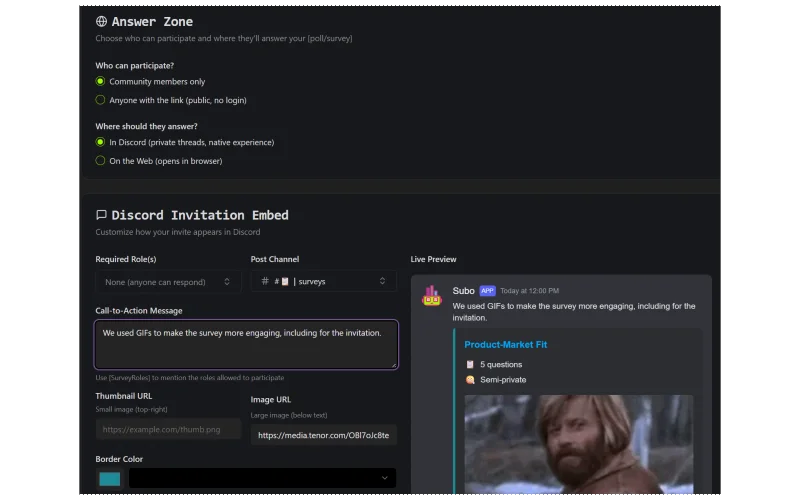
The Invite tab gives you control over how a survey is shared, on Discord or on the web. For Discord invitations, customize the embed: channel where it’s posted, required roles, color, image/thumbnail. Choose the call-to-action message. Choose whether respondents answer inside Discord or on a web interface. For web Convos, pick a theme and interviewer.
Revamped Web respondent experience
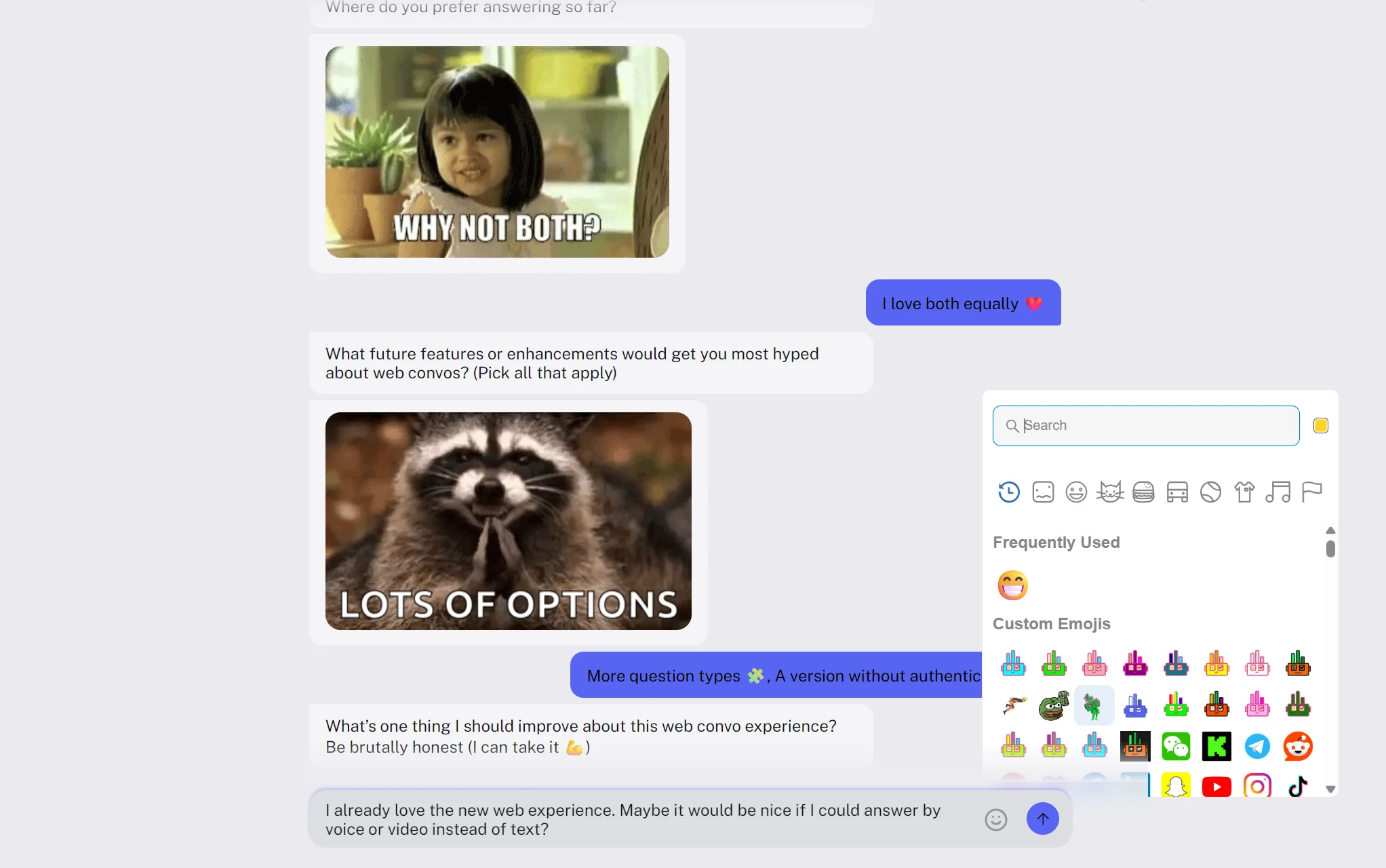
The web experience option is not totally new (respondents click a button in Discord, but answer on a purpose-built conversational UI in their browser) but we totally rebuilt it. Same community context, slightly more breathing room for surveys without the limitations of the Discord platform (answer length, question types, etc).
And with the Open Web option, you can now use Subo not just for your Discord work but for your other projects, posting the invitation link across all your communication channels.
Web Convos do not have the same constraints as Discord native surveys (e.g. number of options, option character length, length of answers) and down the road we will be able to support more question/content types in them.
They are still tightly connected with your community: XP, roles, custom emojis. With Premium, web surveys also carry the branding of your community and allow you to select the interviewer.
Members
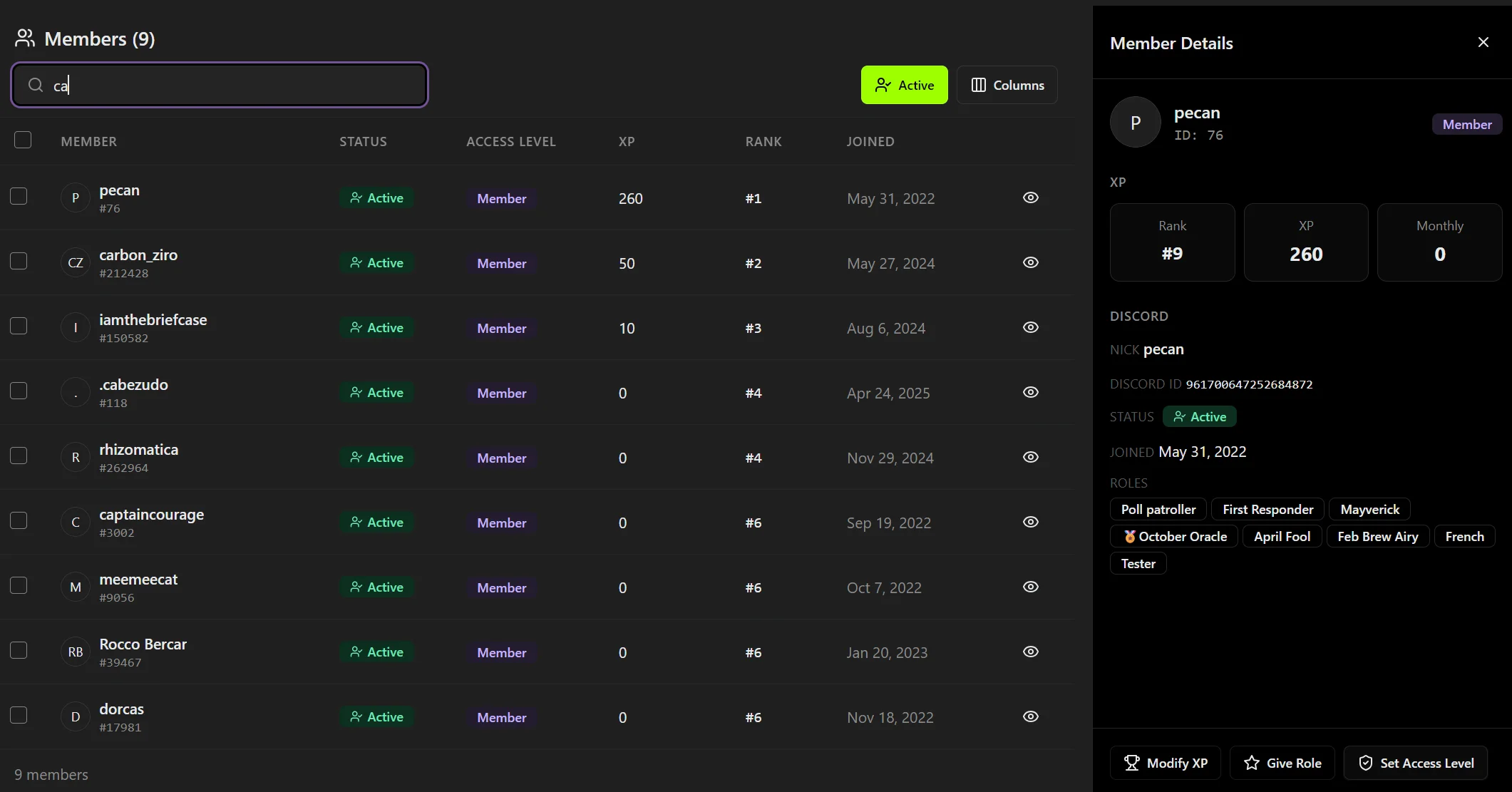
The Members page gives you a full view of your community in one place.
Every member who has interacted with Subo shows up here, with their XP balance, assigned roles, and access levels. You can adjust XP directly, grant new roles, and manage access levels without touching the bot or running a single slash command. If you’ve been manually tracking who has what role or how much XP each member has earned, this replaces that entirely.
Account
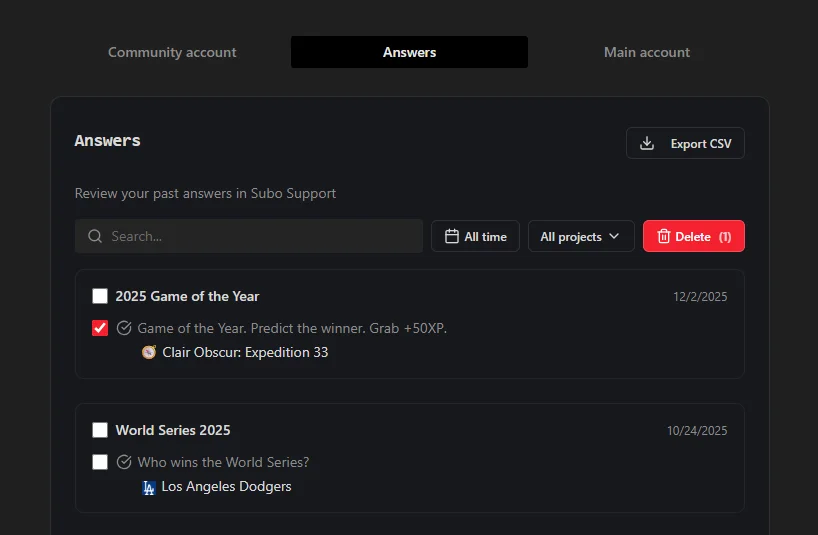
Your data belongs to you, and the Account area makes that real for you and your members.
From there, you can see all your past survey answers, sort and filter them however you need, export the full history, or delete individual responses, or everything at once. Whether you want a record of your own participation or you just want to clean the slate, it’s all there and it’s all yours.
One Thing Hasn’t Changed
Subo still lives inside communities.
We didn’t build a standalone survey platform that happens to have a Discord integration. The community is still the product. Your members still get invited through Discord. The bot still sends the embeds, tracks who responded, awards the XP, assigns the roles. The web app just makes the admin side of that loop dramatically better.
If you’ve been running Subo surveys through the bot, all your existing projects, settings, and history are right there in the dashboard.
If you haven’t tried Subo yet, the web app is the best place to start. You do not have to start from a blank canvas either: the template library has ready-made scripts you can clone and edit, the recipes walk through how the more involved ones are built, and pricing covers what sits on the free tier.
Subo is a community research tool for Discord servers. Run surveys and polls, reward participation with XP and roles, and understand what your members actually think.